Follow the steps below to get started with NaboSpot. You can add a payment method and (for hosts) set up payouts via Stripe.
1. Create your account and verify email + mobile number
Create an account in the app and complete verification of your email and mobile number to activate your account.
2. Set up your payment method (Stripe)
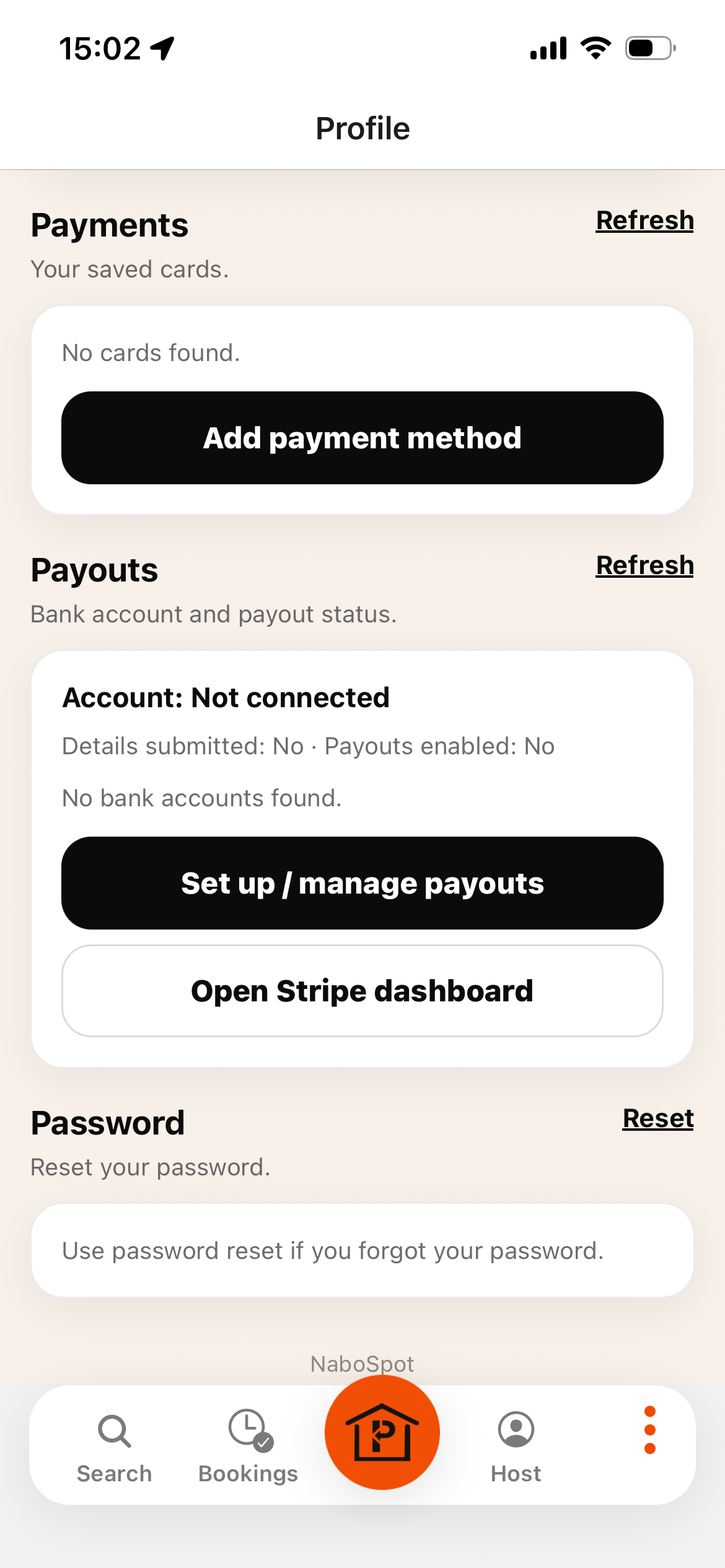
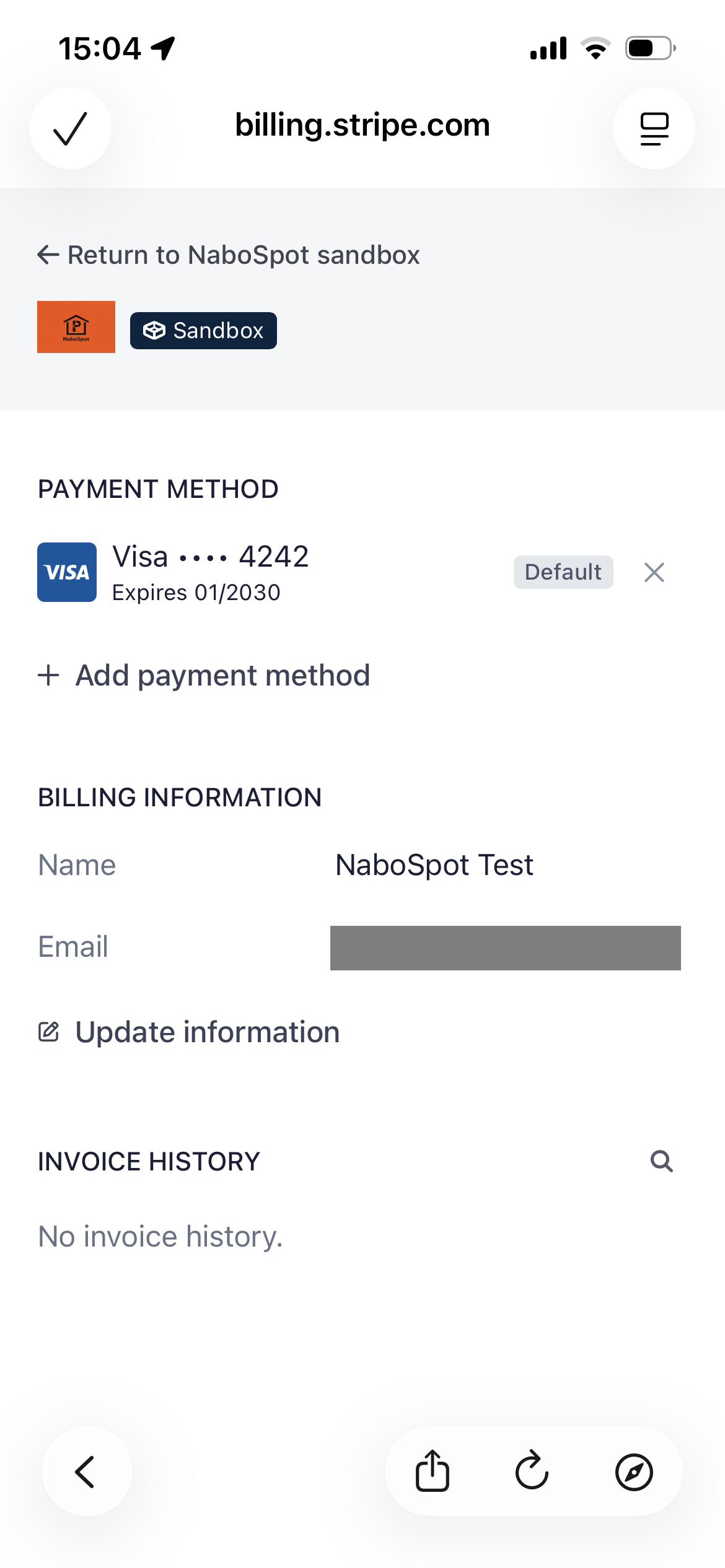
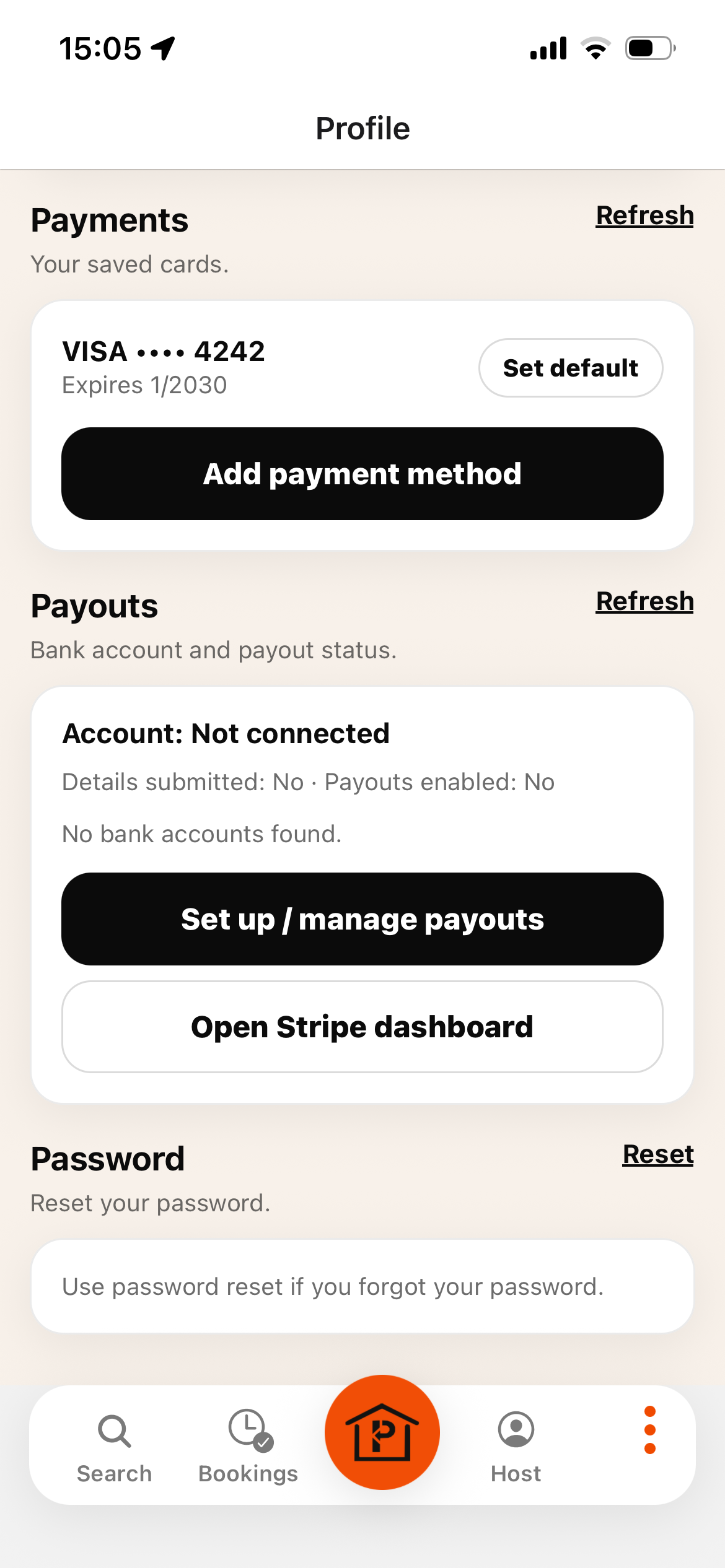
From your profile, press “Add payment method” and follow the process. NaboSpot partners with Stripe for secure financial services.
Step 2–1: Open Profile and tap “Add payment method”.Step 2–2: Complete the payment setup with Stripe.Step 2–3: Confirm the payment method was added.
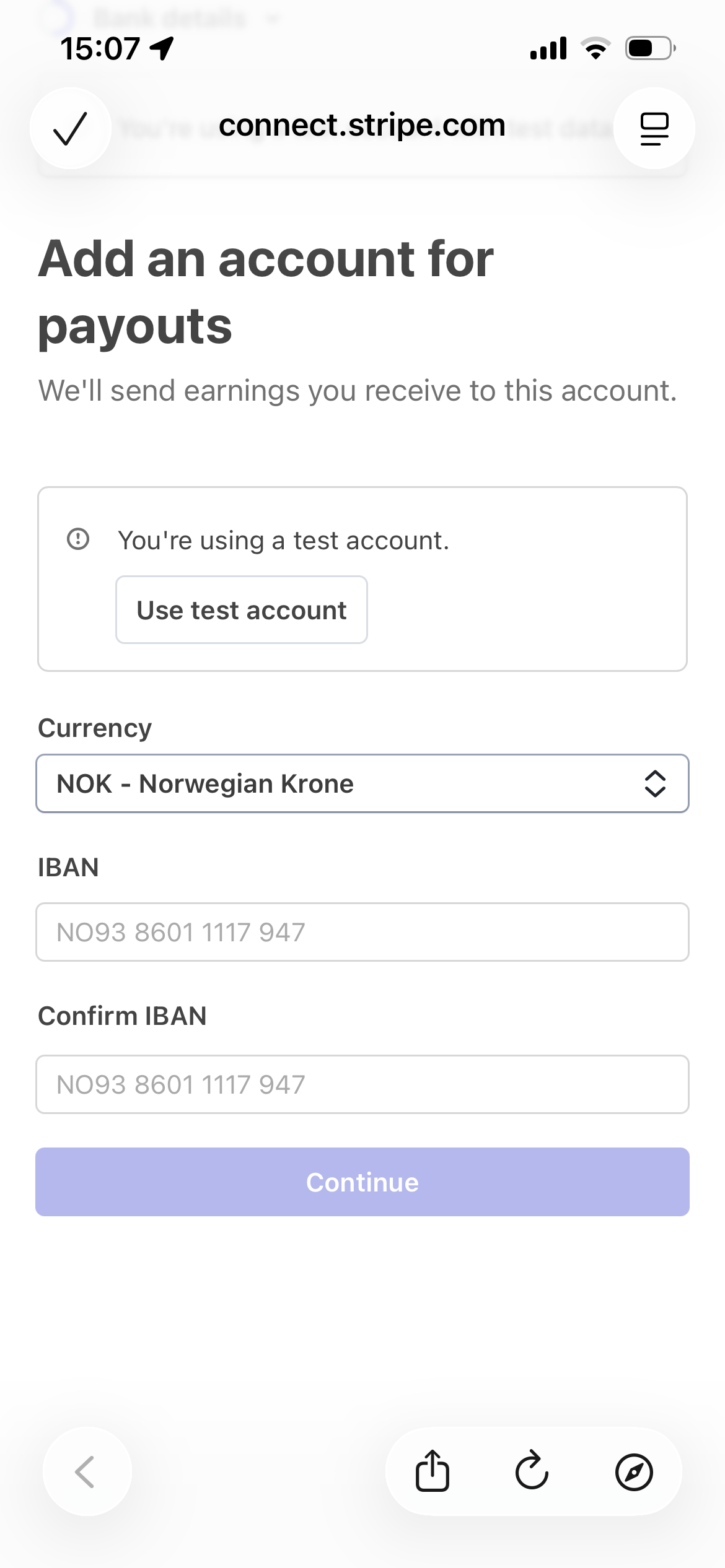
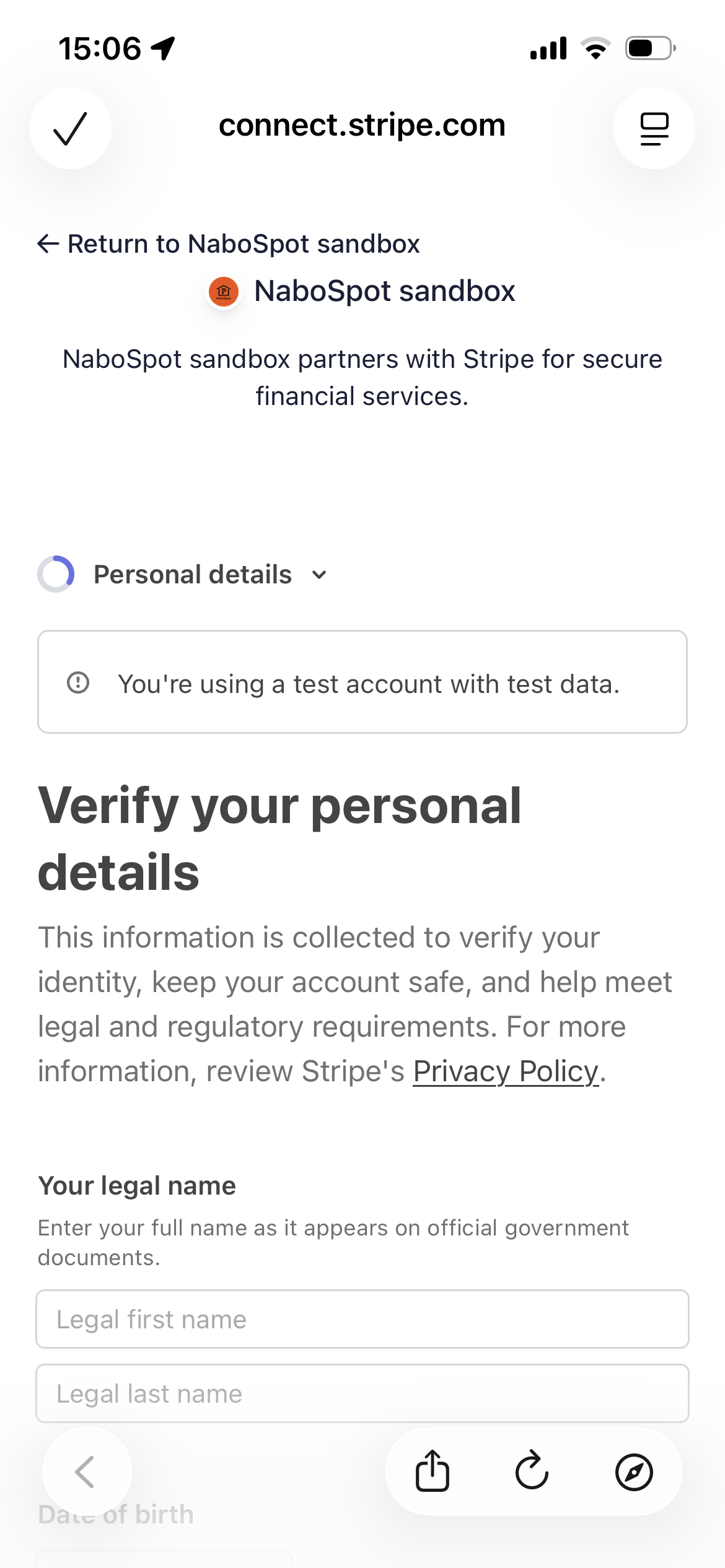
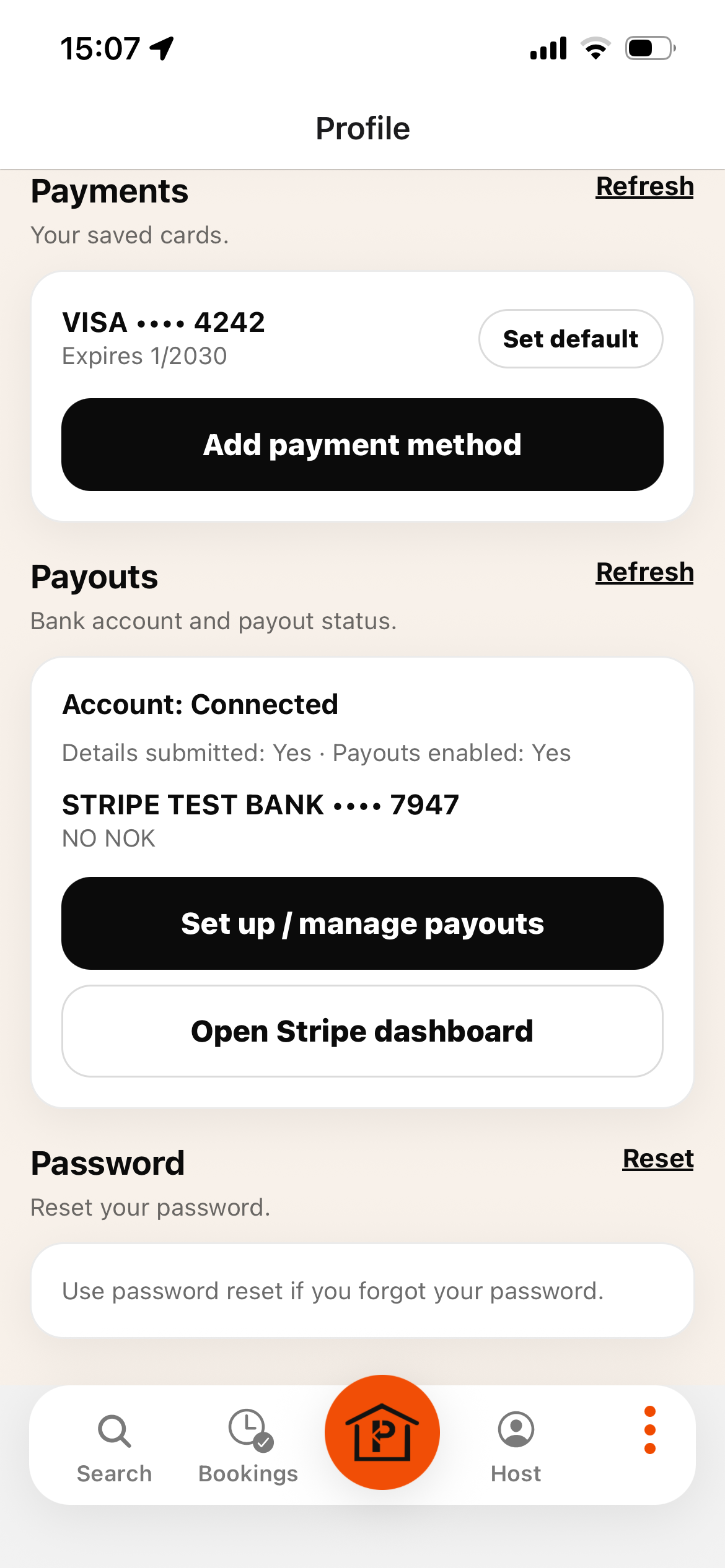
3. Set up payouts bank account(Stripe) to earn money as a host
To earn money from renting out your parking space, press “Setup / manage payout” and complete onboarding with Stripe to add your bank account. Later, you can view payouts by pressing “Open Stripe dashboard”.
Step 3–1: Tap “Setup / manage payout”.Step 3–2: Complete the Stripe onboarding for payouts.Step 3–3: Open Stripe dashboard to view payouts.
Register your interest in NaboSpot
Select the areas you are interested in. We’ll contact you as soon as possible.